
Are you sure your background jobs will still run fine if your main app dies at 3 a.m. on Black Friday? Many teams only find the answer when it is already too late.
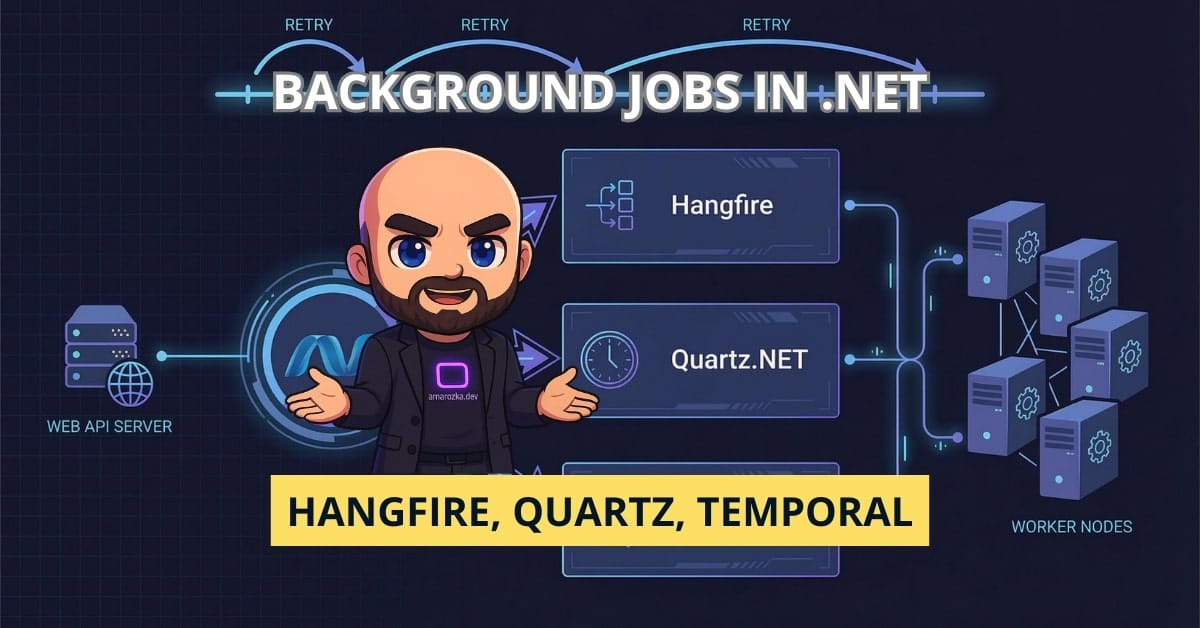
In this post we will go through real options you can use today in the .NET world for background work and scheduling in 2026: classic job runners like Hangfire and Quartz.NET, the newer workflow platforms like Temporal, and improvements in .NET 9+ around BackgroundService and hosting. By the end you will have a simple decision map in your head: when a plain hosted service is enough, when Hangfire or Quartz are a better fit, and when it is time to bring in something heavy like Temporal.
I will mix theory with stories from projects where we moved from cron jobs and Windows Services to Hangfire, then outgrew it and ended with Temporal-style workflows.
What do we actually mean by “background jobs”?
Before we compare tools, let’s sync up on terms. In .NET projects you usually meet three kinds of background work:
- Fire-and-forget jobs
Example: send email, log audit entry, push metric. You do not wait for the result in the HTTP request. - Scheduled jobs
Example: run cleanup every night at 02:00, recalc reports every hour. - Long-running workflows
Example: order processing that may last days, waits for user input, calls external systems several times, has complex state and compensation steps.
These groups have very different needs:
- Fire-and-forget: simple queuing, retries, basic logging.
- Scheduled jobs: cron-style triggers, dashboards, safe retries.
- Workflows: durable state, versioning, strong guarantees around once-only processing, tracing, replay.
No single tool shines for all three. That is why the “right” choice depends more on your use cases than on cool features.
Using .NET 9+ BackgroundService and friends
Let’s start with what you get “for free” in the platform.
BackgroundService basics
BackgroundService has been around since .NET Core 3, but in .NET 8-9 the hosting model became much smoother:
- You wire workers with
HostApplicationBuilder/WebApplicationBuilder. - You can plug in
PeriodicTimerinstead ofTask.Delayloops. - Health checks, logging, configuration and DI are unified.
A minimal worker might look like this:
public sealed class CleanupWorker : BackgroundService
{
    private readonly ILogger<CleanupWorker> _logger;
    private readonly PeriodicTimer _timer = new(TimeSpan.FromMinutes(5));

    public CleanupWorker(ILogger<CleanupWorker> logger)
    {
        _logger = logger;
    }

    protected override async Task ExecuteAsync(CancellationToken stoppingToken)
    {
        _logger.LogInformation("Cleanup worker started");

        while (await _timer.WaitForNextTickAsync(stoppingToken))
        {
            try
            {
                await DoCleanupAsync(stoppingToken);
            }
            catch (Exception ex)
            {
                _logger.LogError(ex, "Cleanup error");
            }
        }

        _logger.LogInformation("Cleanup worker stopping");
    }

    private Task DoCleanupAsync(CancellationToken ct)
    {
        // Your business logic here
        return Task.CompletedTask;
    }
}
And registration in .NET 9 Program.cs:
var builder = Host.CreateApplicationBuilder(args);

builder.Services.AddHostedService<CleanupWorker>();

var app = builder.Build();
app.Run();
When simple hosted services are enough
Use plain BackgroundService when:
- You have few jobs (or even a single one).
- Jobs are short (seconds or minutes, not hours or days).
- It is fine to run them inside the same process as your web API or as a separate worker service.
- You do not need a fancy dashboard, per-job retry settings, or queues.
You still should add:
- Retry with exponential backoff.
- Structured logging and metrics.
- Cancellation and graceful shutdown.
Example: simple retry with exponential backoff using Polly:
var retry = Policy
    .Handle<HttpRequestException>()
    .WaitAndRetryAsync(
        retryCount: 5,
        sleepDurationProvider: attempt =>
            TimeSpan.FromSeconds(Math.Pow(2, attempt)), // 2, 4, 8, 16, 32
        onRetry: (exception, delay, attempt, context) =>
        {
            var logger = (ILogger)context["Logger"]!;
            logger.LogWarning(exception,
                "Attempt {Attempt} failed, waiting {Delay}", attempt, delay);
        });

await retry.ExecuteAsync(ct => CallExternalApiAsync(ct), cancellationToken);
This gives you sane retries without bringing a heavyweight infrastructure.
Where hosted services start to hurt
From my experience, plain BackgroundService starts to be risky when:
- You have many different jobs with different schedules.
- You need manual re-run of a job from a UI.
- You need visibility: when did a job run, did it fail, how long did it take.
- You need multiple instances (horizontal scaling) and still want each job to run once.
At that point you usually move to a job system like Hangfire or Quartz.NET.
Hangfire – easy background jobs with storage
Hangfire is often the first step away from homegrown workers.
What Hangfire gives you
- Background job types: fire-and-forget, delayed, recurring, batches, continuations.
- Storage in SQL Server, PostgreSQL, Redis and others.
- Dashboard out of the box.
- ASP.NET Core integration with a few lines of code.
Typical setup:
builder.Services.AddHangfire(config =>
    config.UseSimpleAssemblyNameTypeSerializer()
          .UseRecommendedSerializerSettings()
          .UseSqlServerStorage(builder.Configuration.GetConnectionString("Hangfire")));

builder.Services.AddHangfireServer();

var app = builder.Build();

app.UseHangfireDashboard();

app.MapPost("/send-email", (string to, IBackgroundJobClient jobs) =>
{
    jobs.Enqueue<EmailService>(svc => svc.SendWelcomeEmailAsync(to));
    return Results.Accepted();
});

app.Run();
And a recurring job:
RecurringJob.AddOrUpdate<CleanupService>(
    jobId: "daily-cleanup",
    methodCall: svc => svc.RunAsync(CancellationToken.None),
    cronExpression: Cron.Daily(2));
Retry and backoff in Hangfire
Hangfire has built-in retries via attributes or filters. Example with custom exponential backoff:
public class ExponentialRetryAttribute : JobFilterAttribute, IElectStateFilter
{
    public int MaxAttempts { get; }

    public ExponentialRetryAttribute(int maxAttempts = 5)
    {
        MaxAttempts = maxAttempts;
    }

    public void OnStateElection(ElectStateContext context)
    {
        if (context.Exception is null) return;

        var retries = context.GetJobParameter<int>("RetryCount") + 1;
        context.SetJobParameter("RetryCount", retries);

        if (retries > MaxAttempts)
        {
            context.CandidateState = new FailedState(context.Exception);
            return;
        }

        var delay = TimeSpan.FromSeconds(Math.Pow(2, retries));
        context.CandidateState = new ScheduledState(delay);
    }
}

public class EmailService
{
    private readonly ILogger<EmailService> _logger;

    public EmailService(ILogger<EmailService> logger) => _logger = logger;

    [ExponentialRetry]
    public Task SendWelcomeEmailAsync(string to)
    {
        _logger.LogInformation("Sending email to {To}", to);
        // throw or call SMTP here
        return Task.CompletedTask;
    }
}
You can also use built-in AutomaticRetryAttribute for simpler cases.
Monitoring and tracing with Hangfire
Hangfire dashboard covers:
- Queue length.
- Job details and exceptions.
- Retry count and state history.
For deeper observability:
- Use structured logging (
ILogger) inside jobs. - Add metrics around job duration and failures (Prometheus, Application Insights).
- For distributed tracing, you can:
- Pass
Activity.Current.TraceIdas job parameter and restore it in the worker. - Use middlewares or filters that start activities for each job.
Rough example for tracing:
public class TracedJobFilter : IServerFilter
{
    public void OnPerforming(PerformingContext filterContext)
    {
        var activity = new Activity("hangfire.job");
        activity.SetTag("job.id", filterContext.BackgroundJob.Id);
        activity.Start();
        filterContext.Items["Activity"] = activity;
    }

    public void OnPerformed(PerformedContext filterContext)
    {
        if (filterContext.Items["Activity"] is Activity activity)
        {
            if (filterContext.Exception is not null)
            {
                activity.SetStatus(ActivityStatusCode.Error, filterContext.Exception.Message);
            }
            activity.Dispose();
        }
    }
}
When Hangfire fits well
Choose Hangfire when:
- You need fire-and-forget and recurring jobs with storage.
- You want a dashboard without extra work.
- You are fine with eventual once-only processing (it is strong enough for many business cases).
- You are okay with library constraints (no full control over storage schema, migration path, etc.).
It is a great middle ground before moving to something like Temporal.
Quartz.NET – classic scheduler for precise timing
Quartz.NET comes from the Java world (Quartz) and focuses on scheduling.
Strengths of Quartz.NET
- Very rich scheduling model: calendars, complex cron expressions, misfire instructions.
- Good choice when you need precise control over when and how often something runs.
- Can run clustered with database-backed job store.
Basic setup with Quartz.Extensions.Hosting:
builder.Services.AddQuartz(q =>
{
    var jobKey = new JobKey("sample-job");

    q.AddJob<SampleJob>(opts => opts.WithIdentity(jobKey));

    q.AddTrigger(opts => opts
        .ForJob(jobKey)
        .WithIdentity("sample-trigger")
        .WithCronSchedule("0 0/5 * * * ?")); // every 5 minutes
});

builder.Services.AddQuartzHostedService(options =>
{
    options.WaitForJobsToComplete = true;
});
Job implementation:
public class SampleJob : IJob
{
    private readonly ILogger<SampleJob> _logger;

    public SampleJob(ILogger<SampleJob> logger) => _logger = logger;

    public Task Execute(IJobExecutionContext context)
    {
        _logger.LogInformation("SampleJob executed at {Time}", DateTimeOffset.Now);
        return Task.CompletedTask;
    }
}
Retry, error handling, and backoff in Quartz.NET
Quartz does not have retries as a first-class feature the same way Hangfire does. But you can:
- Reschedule jobs from inside
Executewhen an error happens. - Use job data map to track attempt count.
Simple exponential backoff pattern:
public class ResilientJob : IJob
{
    public async Task Execute(IJobExecutionContext context)
    {
        var attempts = context.MergedJobDataMap.GetInt("Attempts");

        try
        {
            await DoWorkAsync();
        }
        catch (Exception)
        {
            attempts++;
            if (attempts <= 5)
            {
                var delay = TimeSpan.FromSeconds(Math.Pow(2, attempts));

                var scheduler = context.Scheduler;
                var job = context.JobDetail;

                var newJob = job.GetJobBuilder()
                    .UsingJobData("Attempts", attempts)
                    .Build();

                var trigger = TriggerBuilder.Create()
                    .ForJob(newJob)
                    .StartAt(DateBuilder.FutureDate((int)delay.TotalSeconds, IntervalUnit.Second))
                    .Build();

                await scheduler.ScheduleJob(newJob, trigger);
            }

            throw;
        }
    }
}
It is more code than Hangfire’s attribute-based approach, but you get full control.
Monitoring and tracing in Quartz.NET
Quartz itself has:
- Logs about trigger firing, misfires and job execution.
- Database tables (if you use a persistent job store) where you can inspect triggers.
For a real dashboard you usually:
- Wire metrics from
IJobListener/ITriggerListenerinto your monitoring system. - Wrap job execution with Activity for distributed tracing, similar to Hangfire.
When Quartz.NET is the right choice
Use Quartz.NET when:
- Your main problem is time-based scheduling with complex rules.
- You do not need a heavy storage model for job bodies and parameters (just scheduling metadata).
- You can live without a built-in dashboard or bring your own.
I often suggest Quartz.NET for legacy projects that already rely on cron-heavy task lists, or when the main goal is to replace a zoo of cron entries on different servers.
Temporal – workflow engine for serious business processes
At some point projects grow from “send email” and “run nightly cleanup” to things like:
- KYC checks and approvals.
- Money transfers with several providers.
- Subscription lifecycle.
- Supply chain steps across multiple systems.
In these cases you usually need:
- Durable workflows that can run for days or weeks.
- Strong consistency guarantees around once-only execution.
- Versioning of workflows.
- Replay and full history.
This is where Temporal-style engines enter.
How Temporal works at a high level
Very simplified view:
- There is a Temporal server (cluster) that keeps history in a database.
- You run workers (e.g., .NET worker process) that host workflows and activities.
- You write workflows as simple C# methods; Temporal records every step.
- If a worker dies, the server can replay the history on another worker.
Instead of manual state machines, you write code that looks like this:
[Workflow]
public class OrderWorkflow
{
    private readonly IActivityStub<IOrderActivities> _activities;

    public OrderWorkflow(IActivityStub<IOrderActivities> activities)
    {
        _activities = activities;
    }

    public async Task RunAsync(OrderInput input)
    {
        await _activities.ReserveStockAsync(input.OrderId);
        await _activities.ChargePaymentAsync(input.OrderId);
        await _activities.SendConfirmationEmailAsync(input.OrderId);
    }
}
Each activity is a remote call with its own retry policy, timeout, heartbeat, etc.
Retry strategies in Temporal
Temporal has very strong retry features:
- Per-activity retry policies with exponential backoff.
- Distinction between non-retryable errors and retryable ones.
- Timeouts and heartbeats for long operations.
Example retry options (simplified idea):
var options = new ActivityOptions
{
    StartToCloseTimeout = TimeSpan.FromMinutes(1),
    RetryPolicy = new RetryPolicy
    {
        MaximumAttempts = 10,
        InitialInterval = TimeSpan.FromSeconds(1),
        BackoffCoefficient = 2.0, // 1, 2, 4, 8, ...
        MaximumInterval = TimeSpan.FromSeconds(30),
        NonRetryableErrorTypes = { typeof(ValidationException).FullName! }
    }
};
The key idea: when an activity fails, Temporal will retry according to these rules without you writing your own loop or rescheduling.
Monitoring and tracing with Temporal
Temporal gives a lot of observability out of the box:
- Web UI with workflow list, status, history, and stack traces.
- CLI to query and signal workflows.
- Prometheus metrics.
For tracing, Temporal workers are usually wired with OpenTelemetry, so:
- Workflow and activities are traced as spans.
- You get cross-service traces when activities call your .NET APIs that also use OpenTelemetry.
This kind of full timeline is very helpful when something fails in the middle of a long-running workflow.
When Temporal is worth the extra complexity
Use Temporal or similar workflow engine when:
- You have business-critical workflows that must not be lost.
- Workflows run for a long time, involve human steps or many services.
- You need audit-ready history of every step.
- You are ready to operate another cluster in your platform (Temporal server, database, workers).
Tools like Hangfire and Quartz can simulate some of this with queues and state tables, but you quickly end up re-building a poor version of a workflow engine inside your code.
Comparing retry strategies and exponential backoff
Retry policy is one of the real deciding points between these tools.
Why exponential backoff matters
If you simply retry every second for a failing downstream system, you:
- Put extra load on a service that may already be in trouble.
- Increase risk of cascading failures.
Exponential backoff helps by spacing retries: 1s, 2s, 4s, 8s, 16s… You can also add jitter (random offset) to avoid thundering herds.
Support in each option
- BackgroundService: you write the retry yourself (or use Polly). Most flexible, but also most manual.
- Hangfire:
AutomaticRetryAttributewith customizable attempts, and you can plug in your own filter for full control. - Quartz.NET: no first-class retries, but you can reschedule jobs based on attempt count as shown earlier.
- Temporal: retries are a core part of the model. You express the policy, the engine runs it.
In teams where reliability matters, I strongly suggest:
- Always have caps on max attempts.
- Log context for each retry (attempt number, delay, reason).
- Use alerting on repeated failures instead of just blind retries.
Monitoring and distributed tracing across all options
Whichever tool you pick, your life is much easier if you design observability early.
Logs
- Use structured logs (with properties, not just plain text).
- Include job id, workflow id, correlation id, tenant id.
- Use logging scopes to carry these values through the execution.
Example with scopes in a job:
using (_logger.BeginScope(new Dictionary<string, object>
{
    ["JobId"] = context.BackgroundJob?.Id,
    ["OrderId"] = orderId
}))
{
    _logger.LogInformation("Processing order");
}
Metrics
Expose at least:
- Count of started and completed jobs.
- Failures by type.
- Duration histograms.
- Queue lengths (Hangfire, Temporal) and trigger lags (Quartz).
Most tools have hooks for this:
- Hangfire filters.
- Quartz listeners.
- Temporal metrics built into the server and workers.
Tracing
With OpenTelemetry in .NET 9, tracing is far easier to wire:
- Start an Activity for each job, link it to incoming HTTP request if the job was enqueued from there.
- Ensure workers and APIs export spans to the same backend (Jaeger, Zipkin, Tempo, Application Insights, etc.).
- Use tags for job type, schedule, tenant.
This way a support engineer can open one trace and see how an HTTP call produced a job, which called another API, and where exactly the failure happened.
Decision framework: what to choose in 2026
Let’s summarise all this into a simple decision tree you can hold in your head.
Start with questions
- Do you have workflows lasting more than a few minutes, with many steps or human input?
- Yes – strongly consider Temporal or similar workflow engine.
- No – go to next question.
- Do you need complex schedules (calendars, business days, pause between dates)?
- Yes – Quartz.NET is a good fit.
- No – next question.
- Do you need a dashboard and persistent queues for normal background jobs?
- Yes – Hangfire is a great starting point.
- No – next question.
- Do you only have a handful of simple jobs?
- Yes –
BackgroundService(plus Polly for retries, OpenTelemetry for tracing) is likely enough. - No – pick Hangfire or Quartz.NET depending on schedule complexity.
- Yes –
Non-functional aspects to weigh
Besides pure features, compare:
- Ops overhead
- BackgroundService: nothing extra to run.
- Hangfire / Quartz.NET: share database with app, mostly fine.
- Temporal: new cluster, careful backup and upgrades.
- Team skills
- If your team thinks in queues and workers already, Hangfire feels natural.
- If they think in state machines and workflows, Temporal will feel right.
- Vendor lock-in
- BackgroundService, Hangfire, Quartz.NET: easier to move away from, as jobs are just C# and SQL tables.
- Temporal: more tied to the engine model; moving away is harder, but you gain strong guarantees you would not build yourself.
- Growth path
- Many teams start with BackgroundService → move to Hangfire → then adopt Temporal for the most critical flows while keeping Hangfire for simple jobs.
The nice part is you do not need one single answer for everything. You can:
- Keep Hangfire for email sending and pdf generation.
- Use Quartz.NET for legacy nightly jobs.
- Use Temporal for core money-related processes.
Just keep observability standard: same logging, metrics, and tracing story across all workers.
FAQ: Background jobs and schedulers in .NET
PeriodicTimer and skip Hangfire or Quartz.NET?Yes, if your needs are small: a few jobs, simple rate (every N minutes), and you are okay with no dashboard. As soon as business users start asking “Can I trigger this job now from UI?” or “When did it last run?”, a proper job system quickly pays off.
For BackgroundService you typically use leader election or external locks (for example, a row in SQL or a distributed lock in Redis). Hangfire and Quartz.NET handle this by design when you use a shared storage. Temporal has strong guarantees about once-only workflow execution.
Keep jobs thin. A job should locate the right domain service and call it. That way you can still reuse the same domain logic from HTTP APIs or other entry points.
If you already know you have complex workflows and long timelines, yes, it can be a good first choice. For smaller systems it can be too much at first. In those cases start with BackgroundService or Hangfire, but design code in a way that moving core flows to Temporal later is not painful.
For BackgroundService, Hangfire and Quartz.NET, you can write unit tests against job classes and integration tests that spin up a host in memory. Temporal has local development server modes and testing helpers, but you should still keep activities small and test them as normal services.
Conclusion: Pick the job tool that matches your real workflows
Background jobs in .NET are not about finding the most trendy library. The key is to match the tool with what your system actually does today and how it will change in the next few years.
- For simple tasks, .NET 9
BackgroundServiceplus Polly and OpenTelemetry is more than enough. - For queues, retries and dashboards, Hangfire is a very solid middle layer.
- For complex schedules, Quartz.NET shines.
- For critical long workflows, Temporal-style engines bring safety and clarity that are almost impossible to reproduce by hand.
Start from your business flows, list the needs around reliability, visibility, and scheduling, then check which tool hits the sweet spot with the least overhead. And remember: it is fine to mix tools as long as you keep your logging, metrics and tracing consistent.
Now I am curious – what are you using today for background jobs in your .NET stack, and what is the biggest pain you feel with it?